Sheet music with note names, from any score you have
The letter name of every note, printed under it or over it: C, D, F♯, B♭, a chord stacked as a column. Here is what it looks like, how to get it for your own music in under a minute, and how to use it so you need it less each week.
Free · in your browser · your file is never uploaded
To get sheet music with the note names on, drop the score you have - a PDF from a notation program, or a MusicXML, MIDI or Guitar Pro file - on SheetVideo’s free note-names tool. It reads every note and prints the score again with each note’s letter under it or over it, sharps and flats spelled from the key signature, as a PDF to print. It runs in the browser: the file is not uploaded.
Before and after
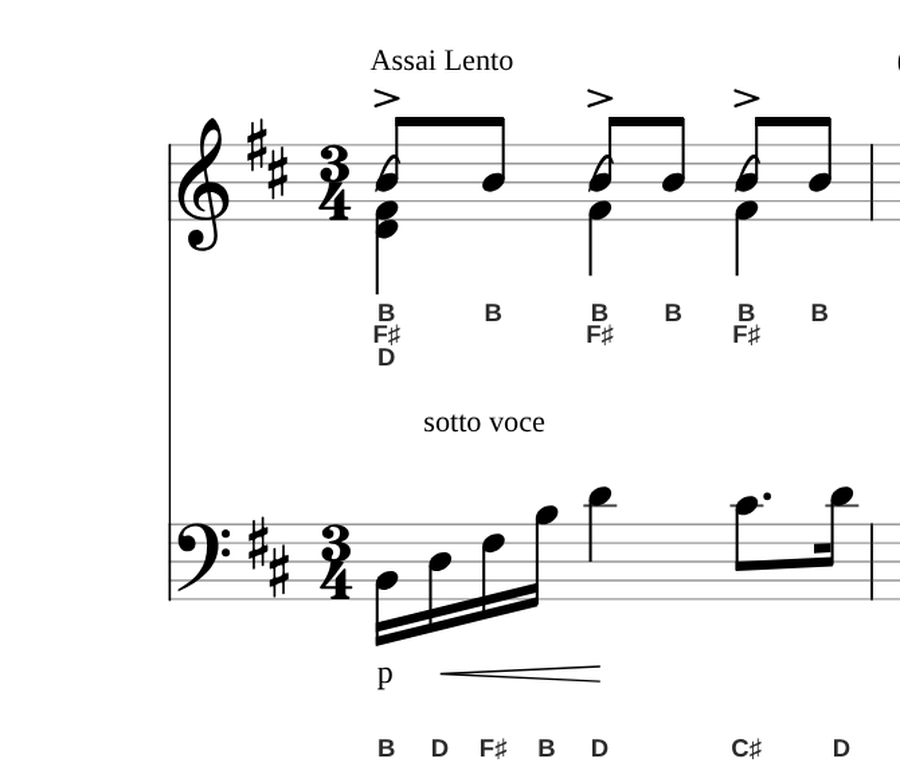
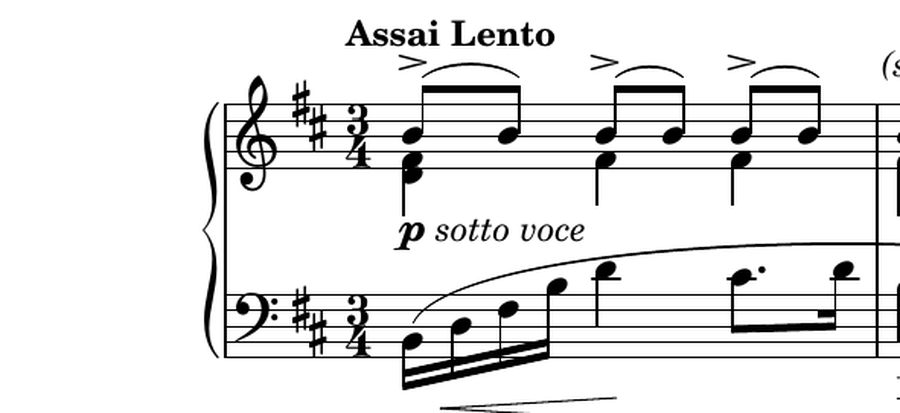
The first bar of the prelude twice, close up: as the PDF was printed, and as the note-names tool gives it back. Nothing about the music changes. The names sit on a line of their own under each staff, so they read like lyrics and never touch a stem or a ledger line.
How to add note names to your sheet music
- Open the score. Drop it on the note-names tool, or press Choose a file. A PDF, MusicXML, MIDI or Guitar Pro file all work. No file to hand? Try the page’s own example, the Chopin prelude above.
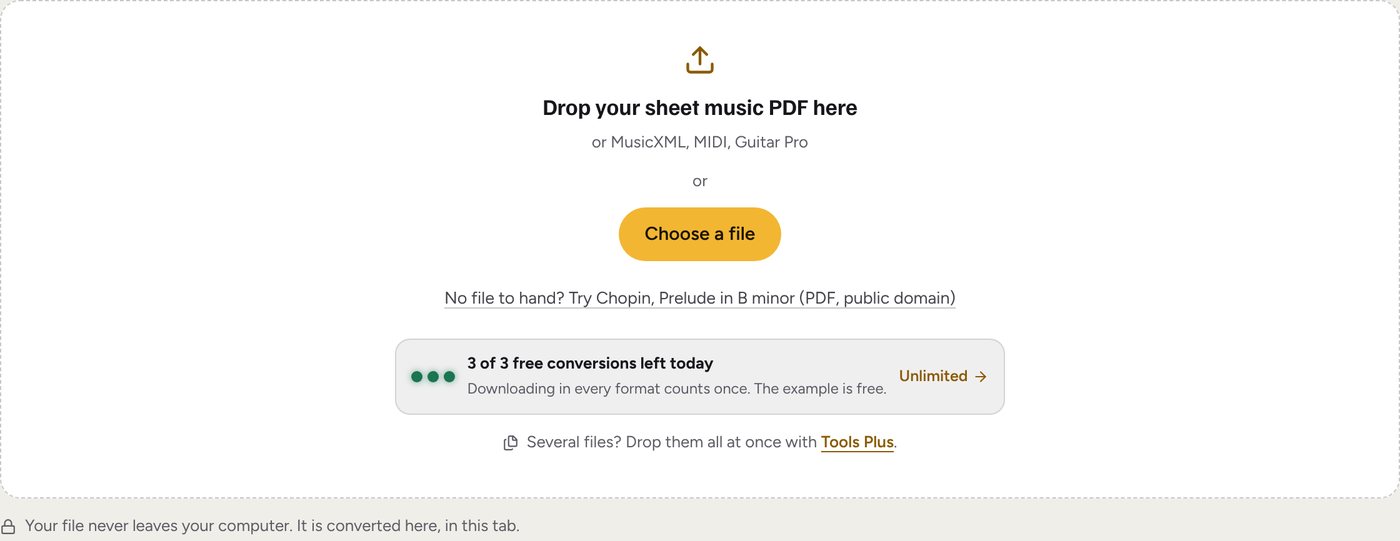
The tool, before a file. It reads the score in this browser tab. - Check it, and place the names. The score is engraved again on the page with the names already under the notes. Pick Above notes to move them over the staff, or None for a clean copy. Untick a part to leave it out; Easier version thins a hard piano part to the tune and a bass note a beat.
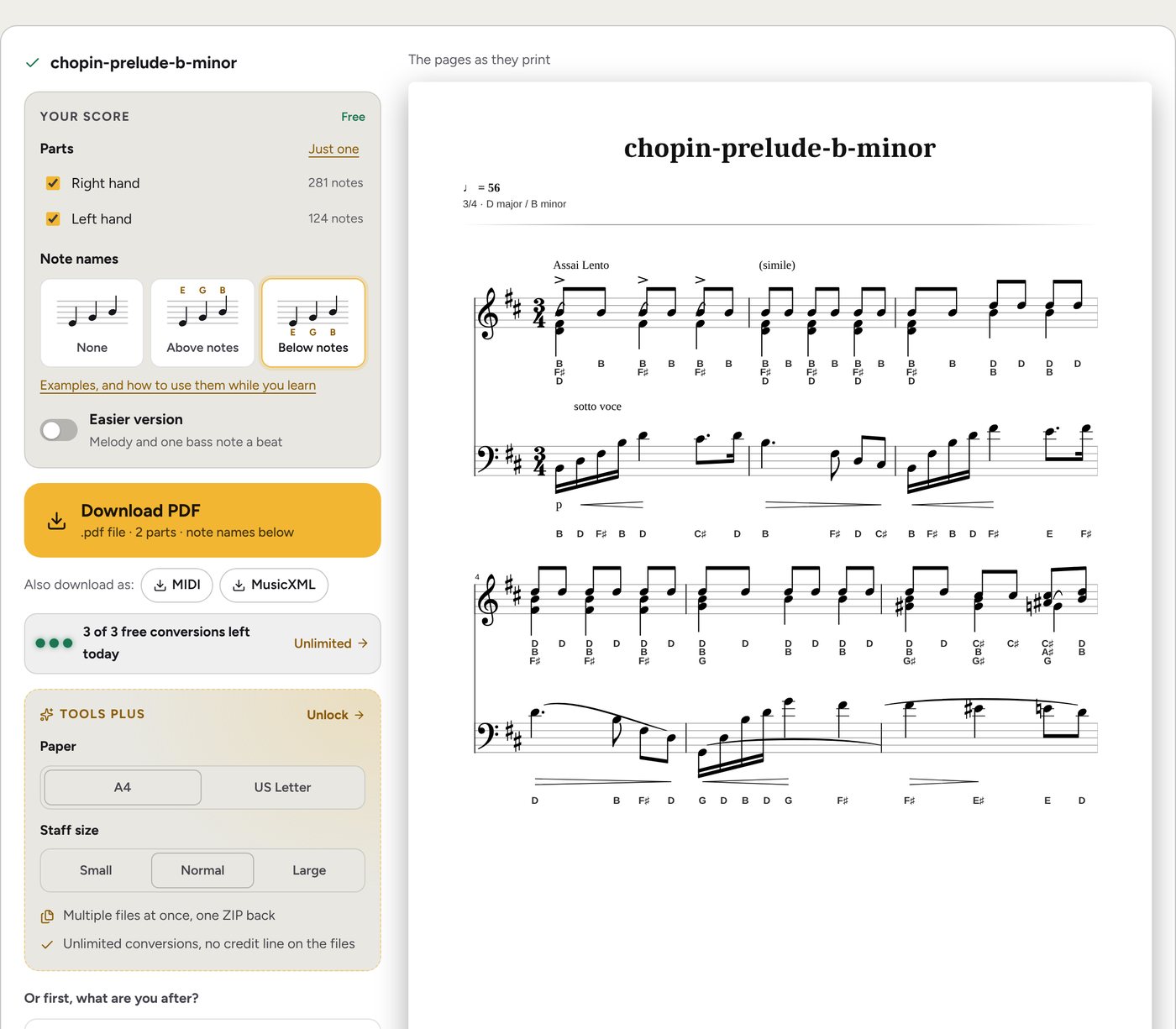
Below notes is picked: the preview on the right is the page as it will print. - Download the PDF and print it. The same file again with the names moved, or without them, is free: it does not count as another file.
Examples
Names over the notes
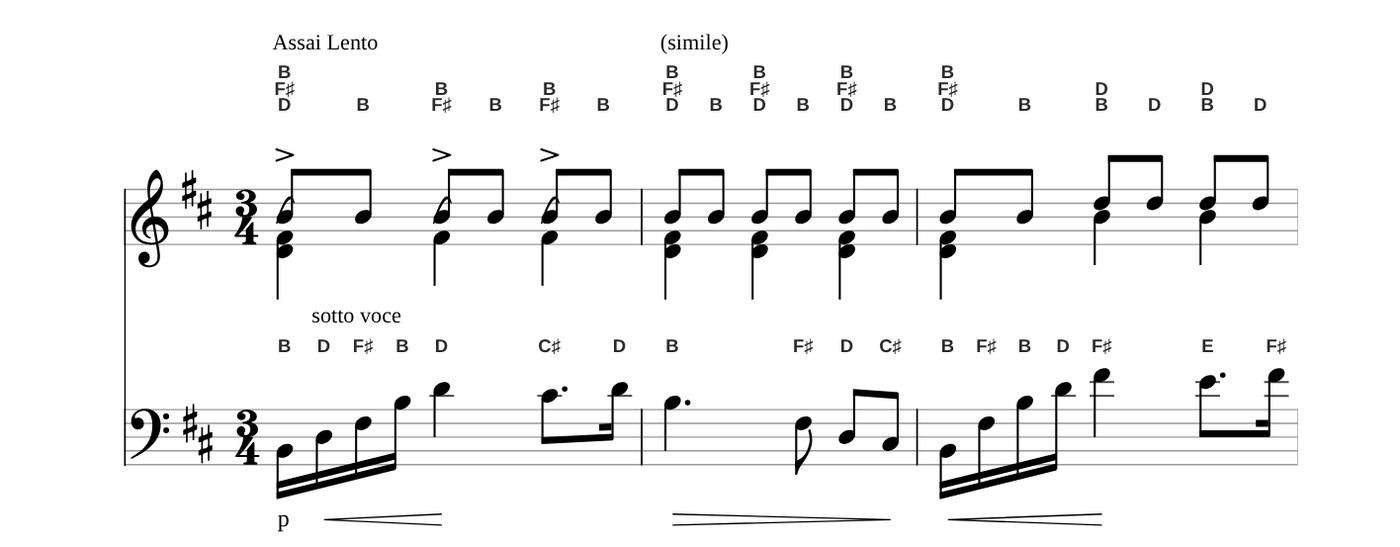
Over the staff, the names sit clear of the highest note and its stem, and the space under each staff stays free for lyrics or your own pencil marks. Pick whichever your eye finds first.
Chords, as a column
Three notes struck together get three names, stacked the way the notes are: B over F♯ over D in the first beat of the prelude. Read the column top to bottom and you have the chord from the top note down.
Sharps and flats from the key signature
The prelude is in B minor, two sharps: every F and every C is played sharp. The names say so under each one, F♯ and C♯, so a sharp in the key signature can’t be forgotten. An accidental written in the bar is named the same way (the G♯ and A♯ of bar 6), and lasts to the bar line, as it does when you play.
Guitar: notes, names and tab
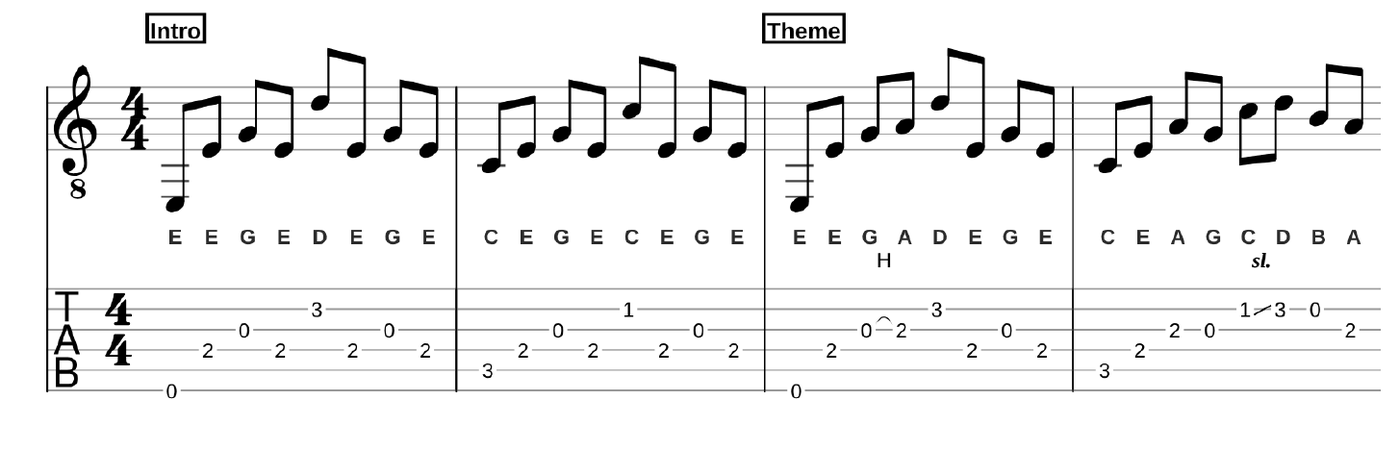
A Guitar Pro file prints as standard notation over the tab. With the names under the notes, the three line up: where the note is written, what it is called, and the fret it is on.
A simpler version, still named
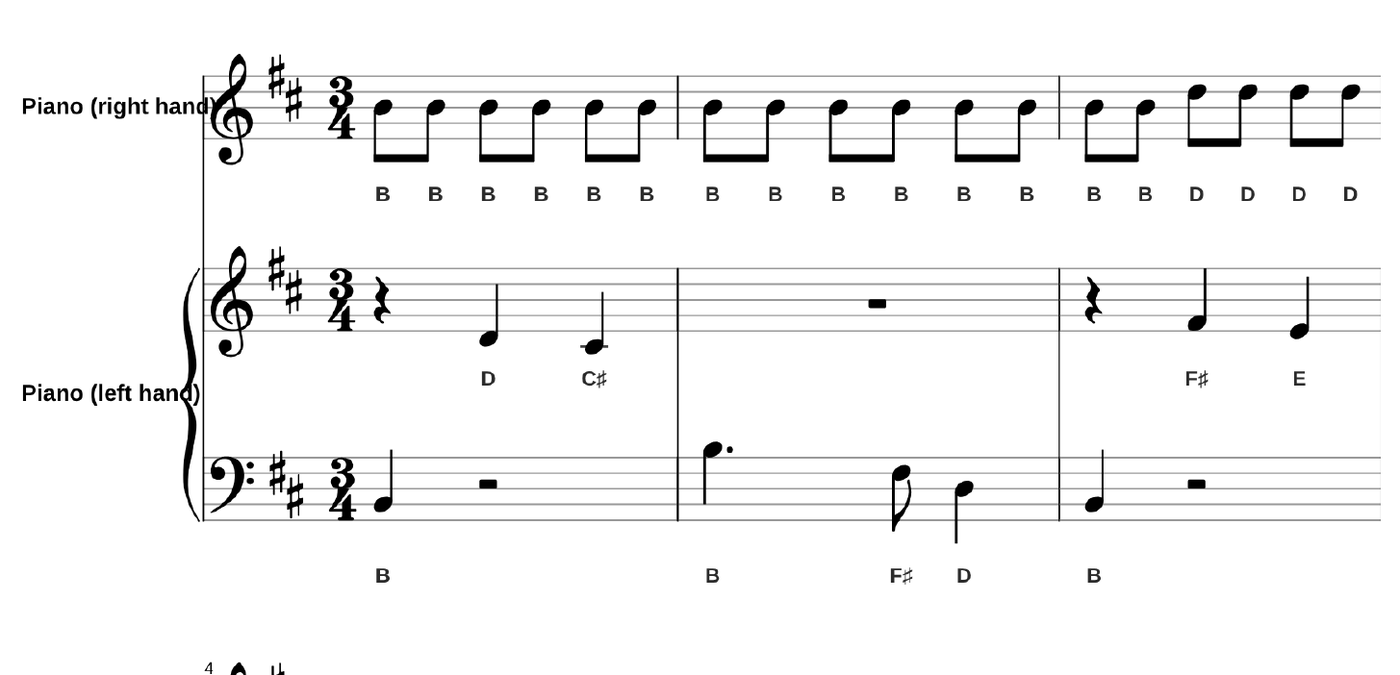
A full piano part can be a lot to read. With Easier version on, the right hand plays the tune one note at a time (the top of each chord) and the left hand one held note a beat, names and all.
Who it is for
- Beginners and adult learners who know the notes on the keyboard or the neck, but not yet on the staff.
- Pianists who read treble well and bass slowly: keep the names for the left hand while it catches up.
- Teachers handing out a piece at the first lesson, named, and the same piece unnamed a few weeks later.
- Guitarists coming from tab, learning which written note each fret is.
- Choirs and bands where a part arrives as a file and someone needs the letters to find their notes.
Using the names, and then letting them go
Note names keep the music moving while your eye learns where each note sits. To make them a stepping stone rather than a crutch:
- Read the note first, then check the name. Say what you think it is, then look down. The printed name is the answer, not the question.
- Print two copies. One named, one with names set to None (free: it is the same file). Play from the plain one, keep the named one beside it for checking.
- Learn a few landmarks. Middle C, treble G, bass F: know those on sight and count from them. The guide to reading sheet music walks through them.
- Each piece, a little less. Names for both hands on the first piece, the left hand only on the next, none after that.
A whole book of parts
One file at a time is free, 3 a day. For a stack of parts - a choir’s folder, a term of lessons - Tools Plus takes them all at once: drop the files, set note names once with the rest of your page setup, and get every PDF back, named, in one ZIP. The setting stays on your account for next time.
Add the note names now
Drop a PDF, MusicXML, MIDI or Guitar Pro file. The names start under the notes; move them over, or switch on the easier version, before you download.
Free, 3 files a day, no account. Your file is read in your browser and never uploaded.