SheetVideo
New
SheetVideo / Free tools / MIDI to MusicXML

MIDI to MusicXML free

Drop a MIDI file and get MusicXML that a notation program can work with: notes put onto the beat, split into readable values, piano on two staves.

Drop your MIDI file hereor
3 of 3 free conversions left todayDownloading in every format counts once. The example is free.Unlimited
Several files? Drop them all at once with Tools Plus.

Your file never leaves your computer. It is converted here, in this tab.

A real conversion

A MIDI file in, MusicXML out

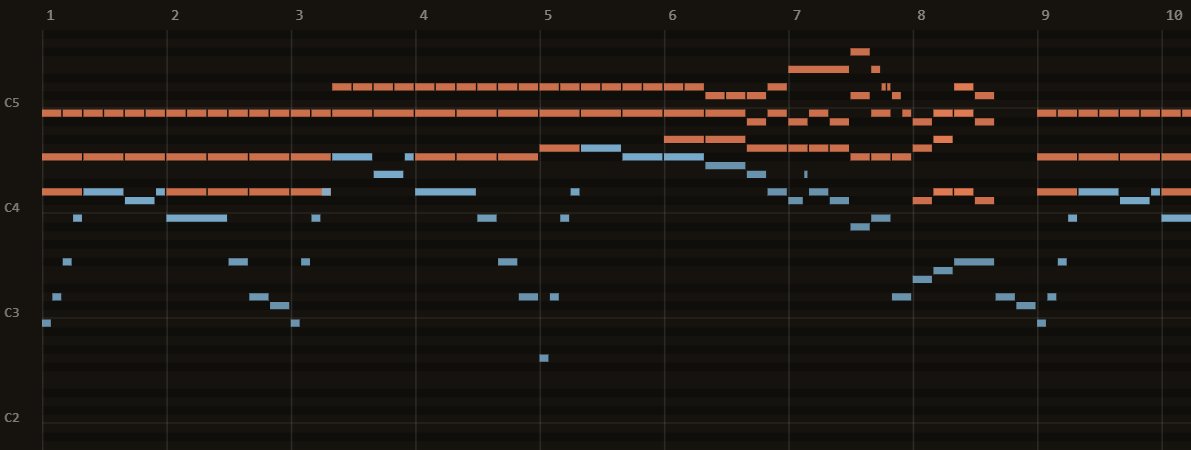
Chopin, Prelude in B minor, Op. 28 No. 6, from the Mutopia Project (public domain), through this converter. Every picture here is what it really made.

Chopin, Prelude in B minor, Op. 28 No. 6, from the Mutopia Project (public domain): the MIDI file that goes in
The MIDI file, in a piano roll (bars 1 to 10)
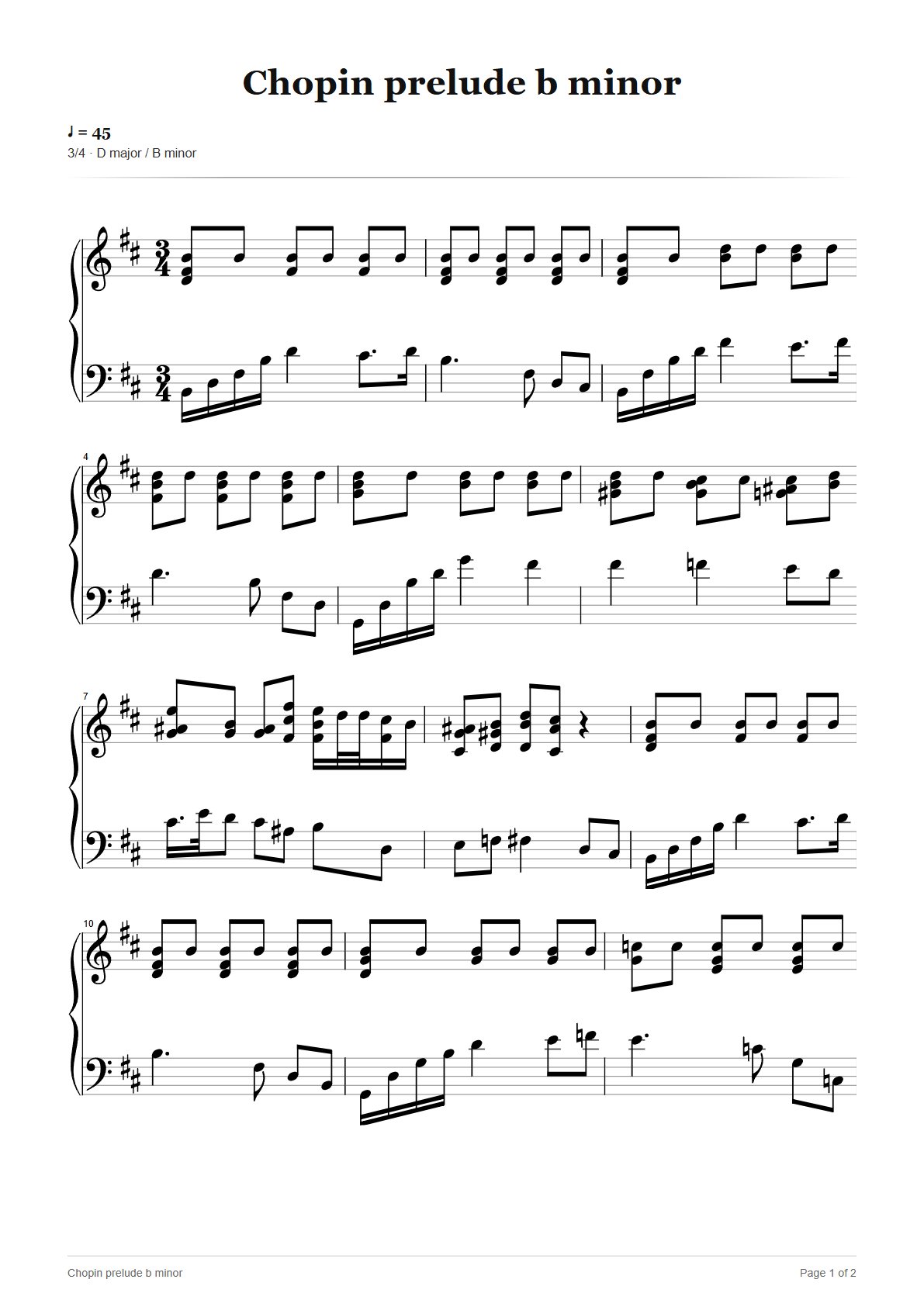
The MusicXML converted from a MIDI file by SheetVideo, read back in and engraved on a grand staff
The MusicXML, opened again and engraved

Read: 26 bars, 405 notes, 2 parts, 3/4. The MusicXML written from it, read back in: all 26 bars and all 405 notes.

In short

SheetVideo converts MIDI files to MusicXML 4.0 with notes quantised, tied and split into readable note values, and piano parts on two staves. The file is read in your browser and never uploaded unless you choose to send it to us.

What comes across
  1. Every track as its own part, with its instrument
  2. Piano parts on a grand staff
  3. Tempo and time signatures
  4. Ties, dots and triplets where the rhythm needs them
  5. Drums as percussion notation
What does not, and why
  1. The key, when the MIDI file has none (most do not)
  2. Dynamics and articulations, which MIDI does not carry
  3. Loose live timing is rounded to the nearest 32nd note

What the conversion does to your notes

Notation programs import MIDI themselves, and often badly: a slightly early note becomes a 64th rest, a held chord a knot of ties. Here every note is put on a 32nd-note grid (or its triplet), split at the beats, and written as the note values a musician would read, the same way SheetVideo engraves scores on its videos.

The converted score is engraved below the drop zone before you download it, so you see what your notation program will open.

The file is read in your browser and never uploaded unless you choose to send it to us.

Free, or unlimited

3 free conversions a day. Or no limit at all.

This converter stays free. Tools Plus takes the daily limit away on every converter, and converts multiple files at once.

Free converters

€0/forever

No account, no card. Your file never leaves your browser.

Convert a file free

3 a day, the example always free.

  • 3 conversions a day, every download format included
  • One file at a time
  • A small “Converted with SheetVideo.com” line
Tools Plus

Tools Plus

€6.99/month

Less file conversion. More music making.

The converters stay free: 3 files a day, no account.

  • Unlimited conversions between any formats, no daily limit
  • Multiple files at once, one ZIP out
  • PDF, MusicXML and MIDI from PDF, Guitar Pro, MIDI and MusicXML
  • Your page setup saved: paper, staff size, parts, tab, note names
  • No “Converted with SheetVideo.com” line on your files
  • In your browser: your files are never uploaded
Best value

Pro + Tools Plus

No watermark
€13.99/month

Both, for €1.99 less than apart.

VAT included · cancel any time · saves €1.99 a month.

  • Everything in SheetVideo Pro: full-length videos, no watermark
  • Everything in Tools Plus: unlimited conversions, multiple files at once, page setup
  • One subscription, one invoice

Questions

Why these tools are free

They are pieces of SheetVideo

SheetVideo puts sheet music and tab on videos of people playing, lined up with the recording by listening to it. To do that it has to read every score format there is, and write them out again. These pages are those readers and writers, opened up. The video is the part that is paid, and only for full-length exports without the small mark.